Dürkopp Adler
650-10
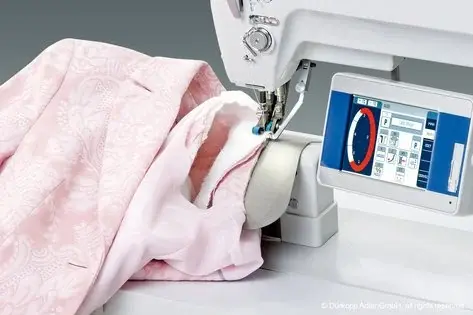
Optimized work station for setting sleeves
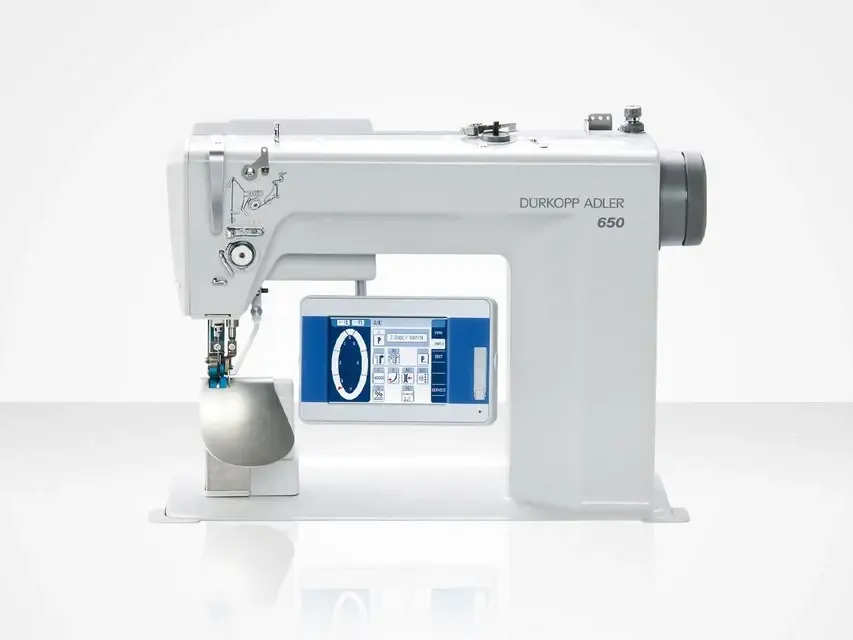
Product features
Curve-support for easier handling specially in the sleeve head
Sleeve setting is one of the most difficult sewing operations in the clothing industry. The demands on the operator with regard to dexterity and knowledge of production technology are extremely high.
When using the sleeve setter 650-10 a large part of the difficult handling is taken over by the machine by means of the curve support function. Sewing is simplified considerably, the training periods are shortened essentially and performance as well as quality are increased.
Your benefits at a glance
Curve support
Function curve-support for easier handling specially in the sleeve head
When using the sleeve setter 650-10 a large part of the difficult handling is taken over by the machine by means of the curve support function. Sewing is simplified considerably, the training periods are shortened essentially and performance as well as quality are increased.
Working method “standard armhole”: Own programs can be created quickly and easily according to the specifications of the designer. It is possible to work with or without seam length measurement. The inserting of the sleeve head is programmed via the parameter “curve support” (see example of a program with 5 steps)
Programming in steps
Programmable machine settings per step
Thread tension programmable per step, foot pressure and alternation for perfect seams independent of the material thickness, e.g. when processing epaulettes
Teach-in
Up to 80% faster seam programming easiest programming possible by “teach-in” procedure and automatic mirroring for the second sleeve
Easiest programming possible by 'teach-in' procedure and automatic mirroring for the second sleeve. The simple user guidance by means of internationally comprehensible symbols allows a quick program creation also for less experienced operators. Programs are created, mirrored and graded by “teach-in procedure”. The fully automatic linear grading does not require any “expert knowledge of grading”. The desired size is chosen quickly and easily by fingertip. Own seam programs can be stored and transferred to other machines by USB flash drive. The operator chooses the desired size and the program runs fully automatically. This facilitates the handling and the training times of the operators are reduced considerably.
Operating panel OP7000
Touch Screen OP7000
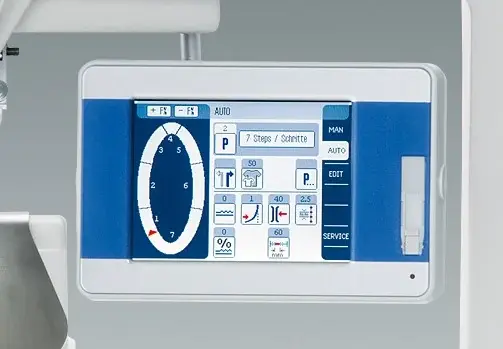
The touch screen with coloured graphic display of the seam course clearly shows the current program. All important parameters as e.g. fullness, curve support, thread tension, stitch length etc. are easily readable and programmable.The simple user guidance by means of internationally comprehensible symbols allows a quick program creation also for less experienced operators. Programs are created, mirrored and graded by teach-in procedure. The fully automatic linear grading does not require any expert knowledge of grading. The desired size is chosen quickly and easily by fingertip. Own seam programs can be stored and transferred to other machines by USB flash drive. The operator chooses the desired size and the program runs fully automatically. This facilitates the handling and the training times of the operators are reduced considerably.
Sizes and automatic gradings
Programming in the size of your choice – standard grading values automatically calculate the program for every size.
Linear grading: Grading will be done proportionally in every step with the same preset percentage value.
Non-linear grading: Grading will be done only in selected steps, some steps are without grading.
Variable grading: Most flexible grading, only the required steps will be graded. The grading factor may be varied, from a certain size onwards, e.g. increased.
Finest fullness nuances via step motor-controlled belt transport to handle sleeve fullness even in most difficult fabrics
Programmable fullness values
Ergonomically designed work station for fatigue-free working with integrated LED sewing light
Short training times due to easiest operation
All functions are electronically controlled – no compressed air required
Examples of use
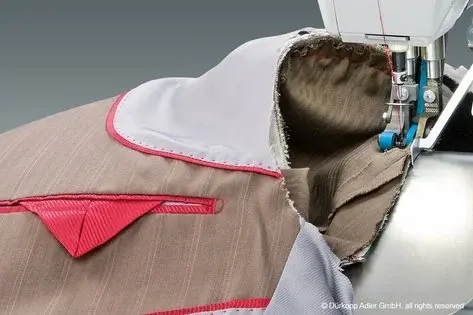
Tailored workmanship
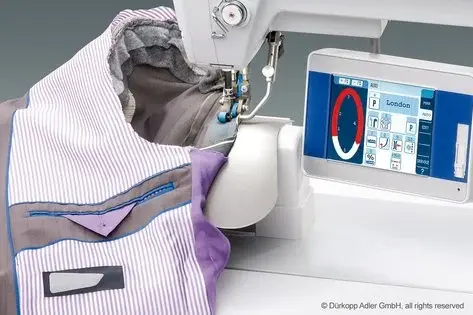
Engineered processing method
Sewing equipment E3 for light material
Specifications
| Model | 650-10 |
|---|---|
| Belt bottom feed and belt top feed | ● |
| Clearance when Sewing/Lifting A = Sewing [mm] max. B = Lifting [mm] max. | A= 4 / B= 12 |
| Dimensions (Length, Width, Height) [mm] | 1.320 / 750 / 1.490 |
| Fullness above | ● |
| Fullness below | ● |
| Function “curve support” by means of step motor controlled upper belt feed | ● |
| Horizontal hook, small (S, Ø 22mm) | ● |
| Integrated DA-direct drive | ● |
| Integrated LED sewing light with dimmer | ● |
| Lockstitch (301) | ● |
| Needle size [Nm] max. | 70-100 |
| Needle system [Nm max.] * depending on the sewing equipment | 134-35 |
| Nominal voltage [V], [Hz] | 1x230V, 50 / 60 Hz |
| Post bed machine with clearance C [mm] D [mm] | - / - |
| Power consumption [kVA] max. | 1.0 |
| Program control, operating panel OP7000 with graphic display and touch screen | ● |
| Programmable thread tension | ● |
| Seam backtacking A = Automatic, Ma= Manual ***= programmable, stitch length 0,5-6,5mm | ● A |
| Sewing foot lift, automatic | ● |
| Sewing Material SL = very light / L= light / LM = light to medium heavy / M= medium heavy / MS = medium heavy to heavy / S = heavy | L / M |
| Single needle | ● |
| Stitch length [mm] max. | 1,5 - 4,0 |
| Stitches/min. max. *= depending on foot stroke **= depending on foot stroke and stitch length *** = in case of twin needle / three needle version less speed possible – dependent on needle distance ****= selectable per step *****= depending on the use of the stitch loosening device ******= max. 2,500 stitches in combination with conversion kit “Heavy” *******= The sewing speed depends on the type of cam used | 4.000 |
| Synthetic [Tkt.] min.-max. | 150 / 3 - 50 / 3 |
| Thread trimmer | ● |
| Weight, complete [kg] | 95 |
| Weight, sewing head [kg] | 81 |
● Standard ○ Optional
Videos
Catalogue
The 650-10 documents Dürkopp Adler publishes, on their own site. They open in a new tab.
Open the catalogue (PDF)Open the instruction manual (PDF)Open the parts book (PDF)
And the catalogues Dürkopp Adler publishes for their whole range.
The file is published and updated by the manufacturer; it is not copied here, so nobody downloads an outdated version.
Data sheets, photos, videos and specifications: Dürkopp Adler.
Tell us the operation you need to solve and we will reply with the right configuration and the lead time.